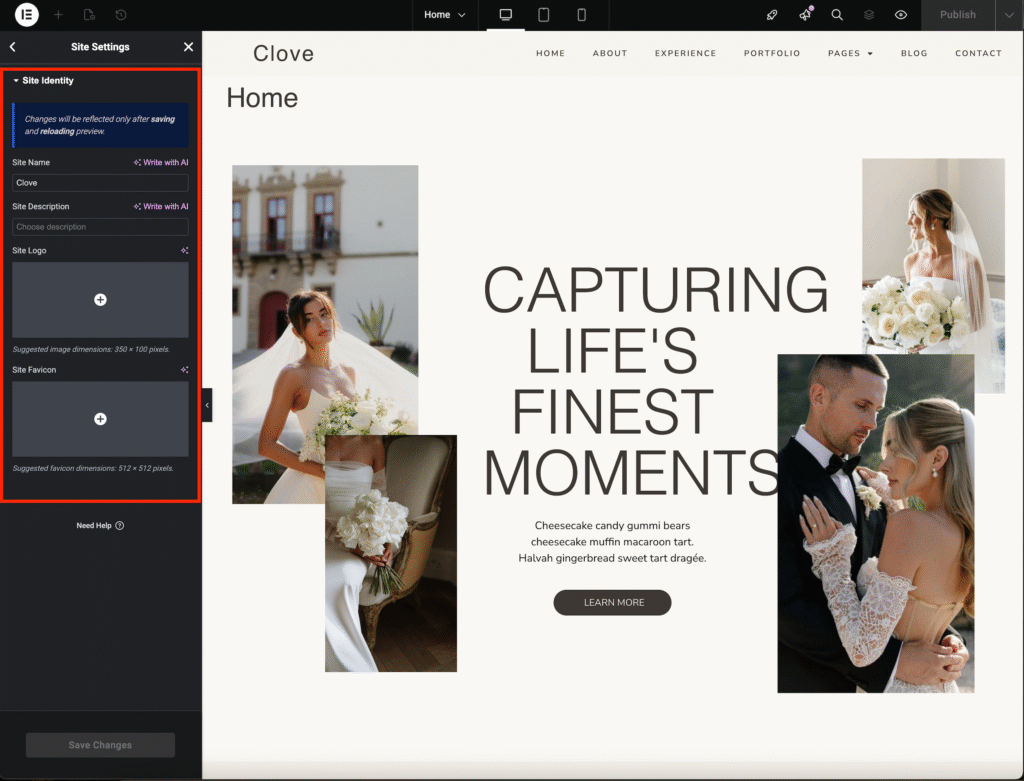
From your WordPress dashboard, go to Pages.
Select any of the pages (for this tutorial, we’ll use the Home Page) and click Edit with Elementor.
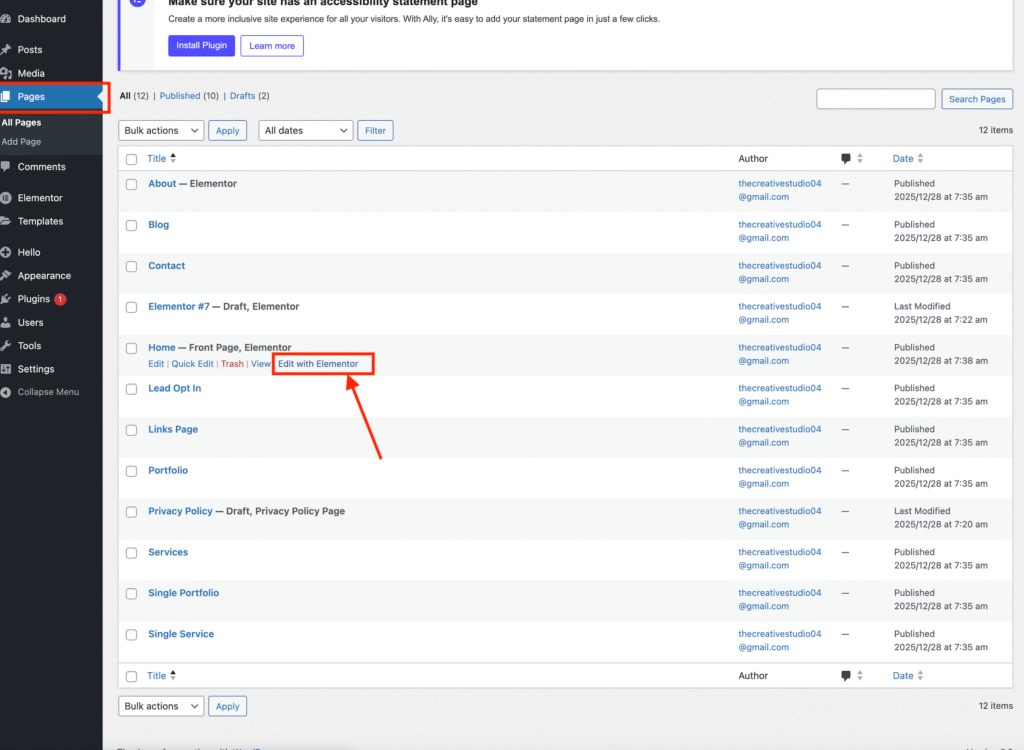
Click the hamburger menu (three horizontal lines) in the top-left corner of the Elementor editor and select Site Settings.
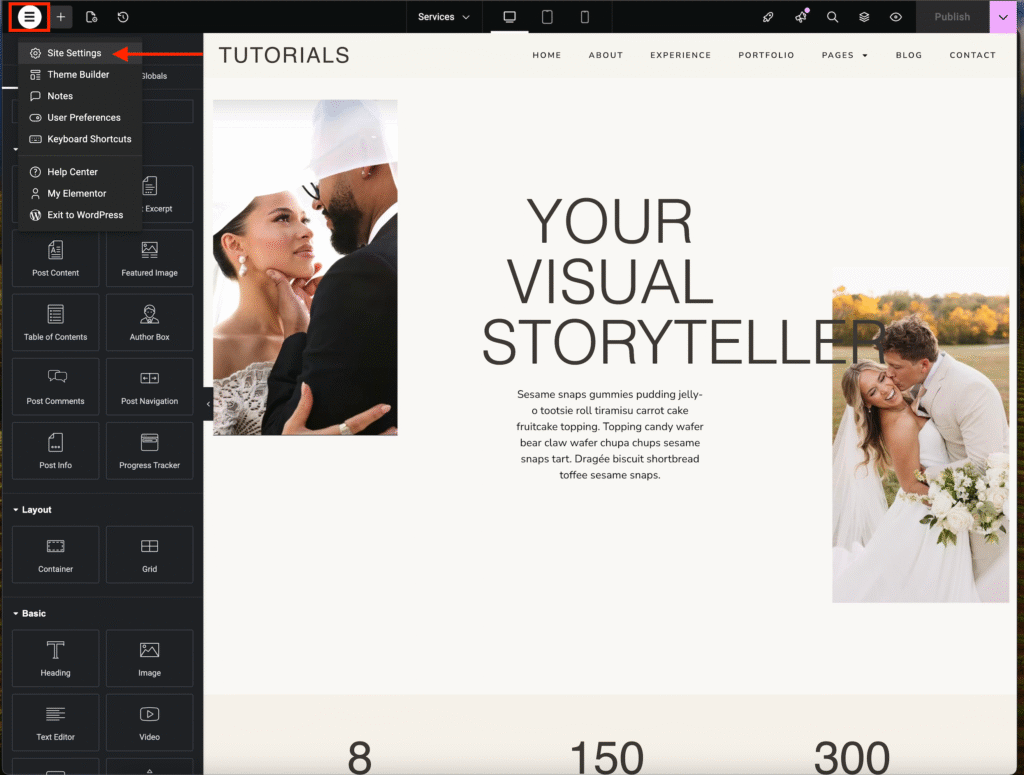
Click Site Identity.
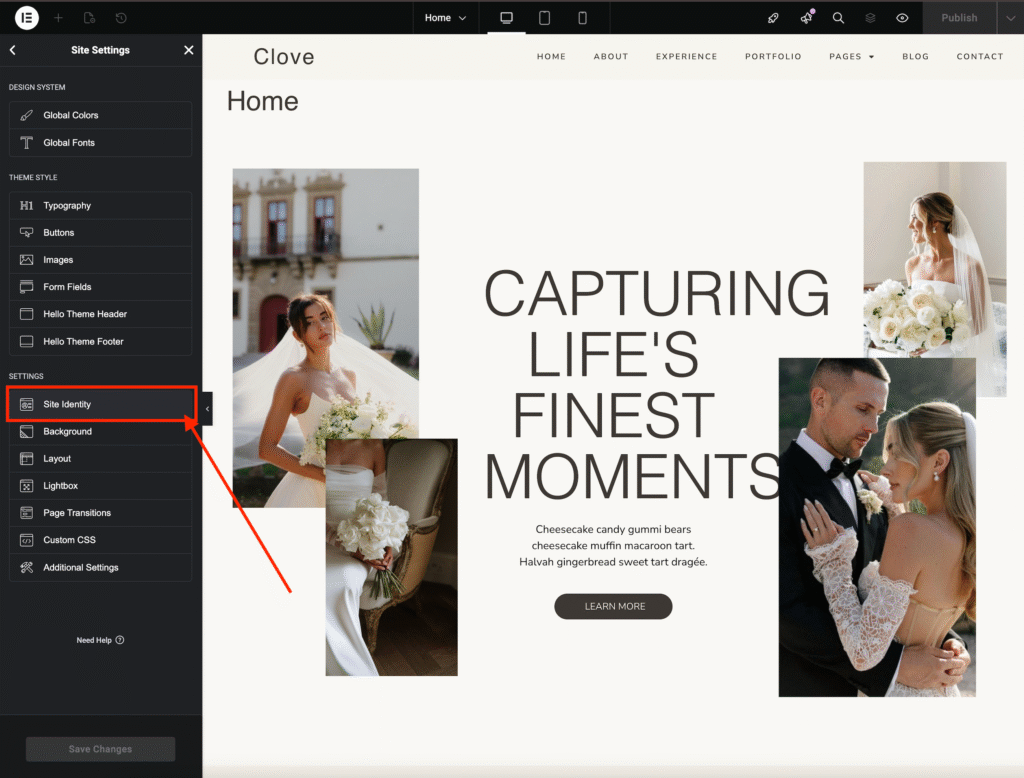
Here you can:
• Change your website name
• Add a description
• Upload your logo
• Upload your favicon
When you’re done, click Save Changes to apply your updates.