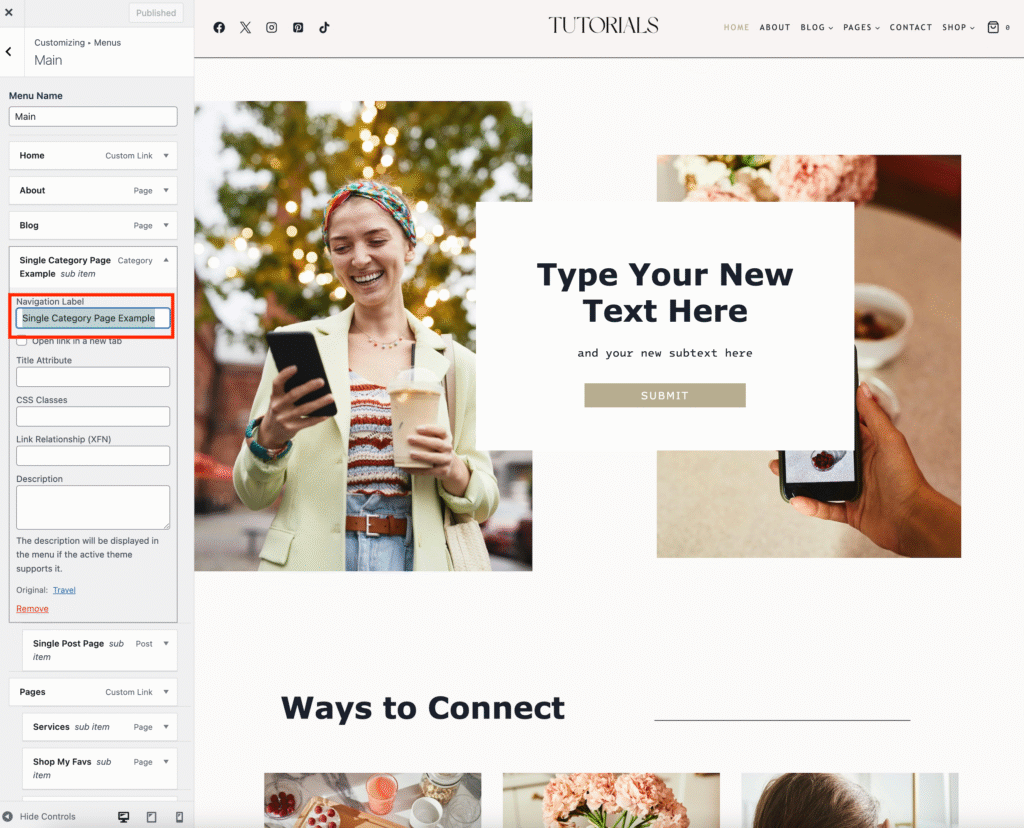
Open the Customizer: Go to your WordPress dashboard → Appearance → Customizer.
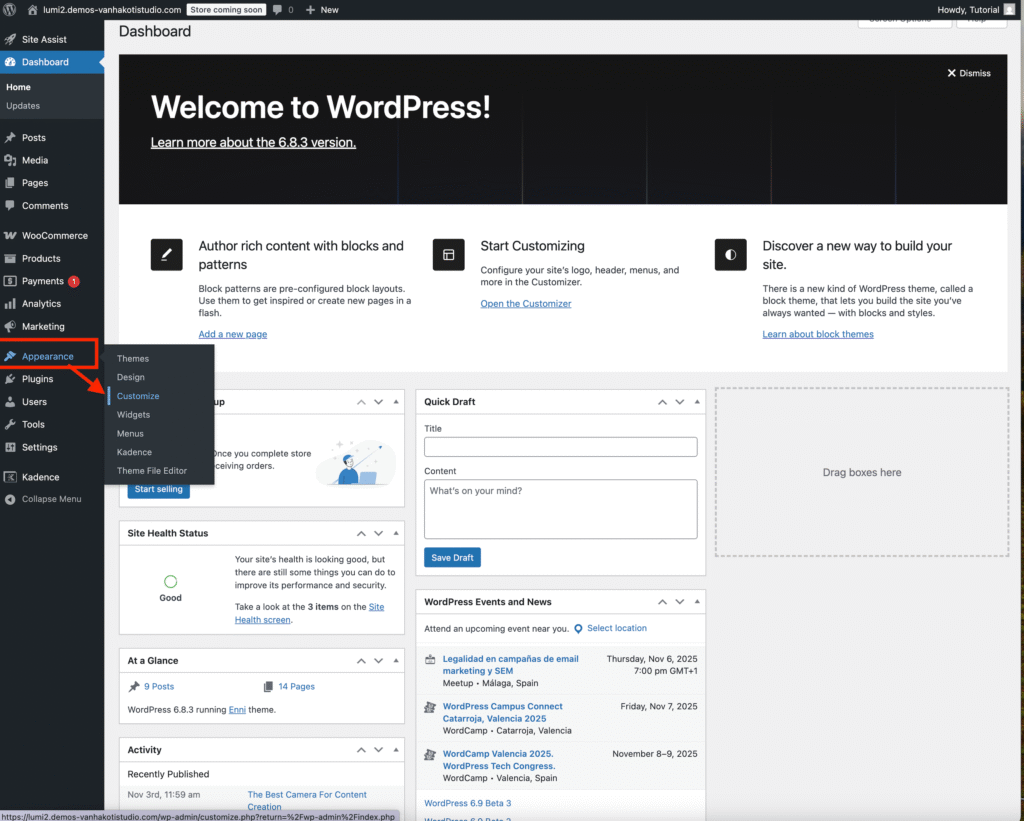
Select Your Menu:
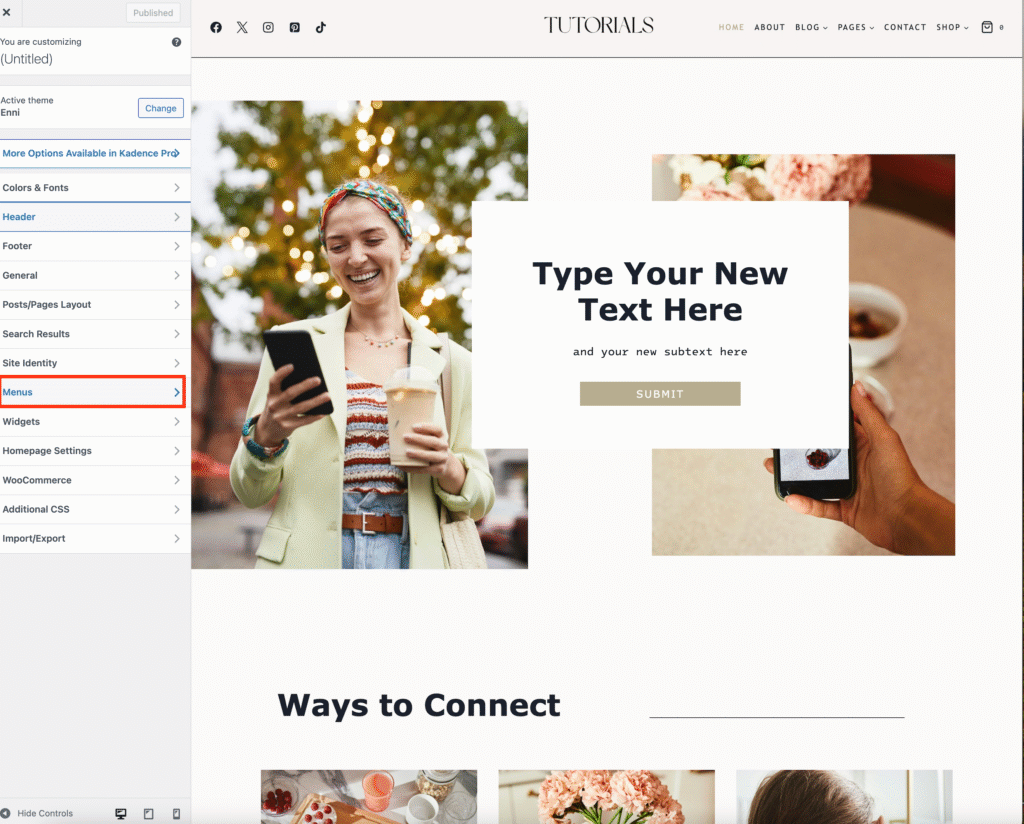
Click Menus and choose your Main Menu (or whichever menu you want to edit).
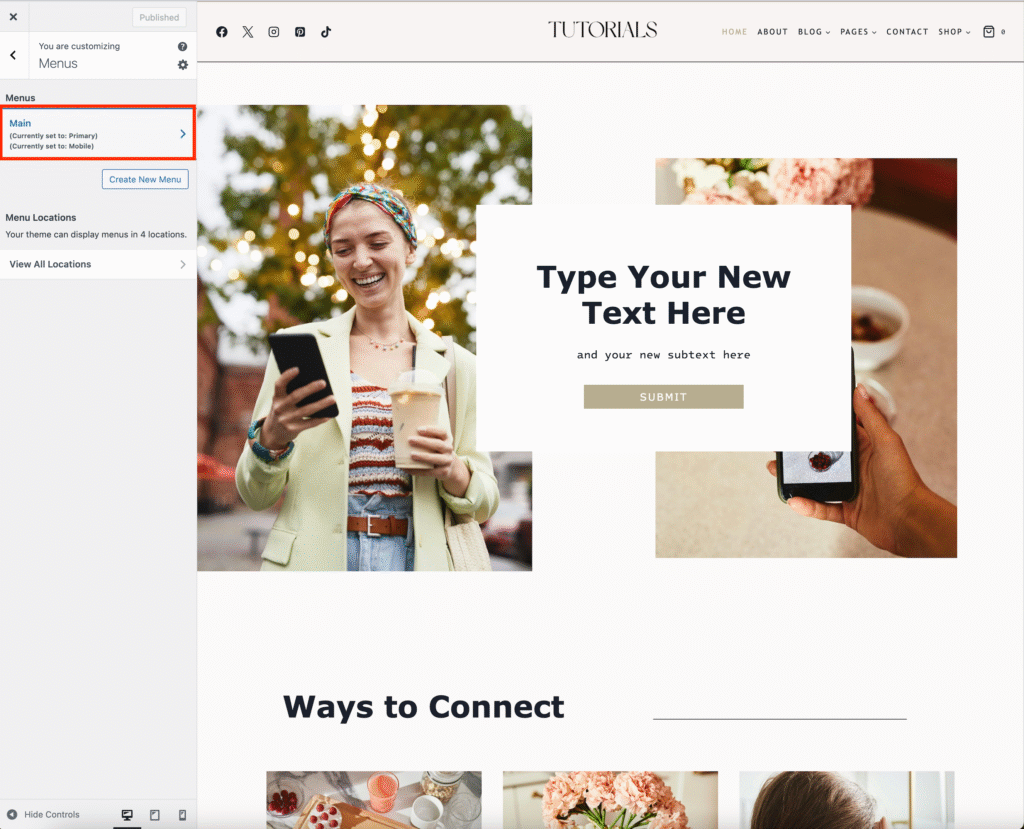
To remove a Menu Item:
• Click the arrow next to the menu item you want to remove.
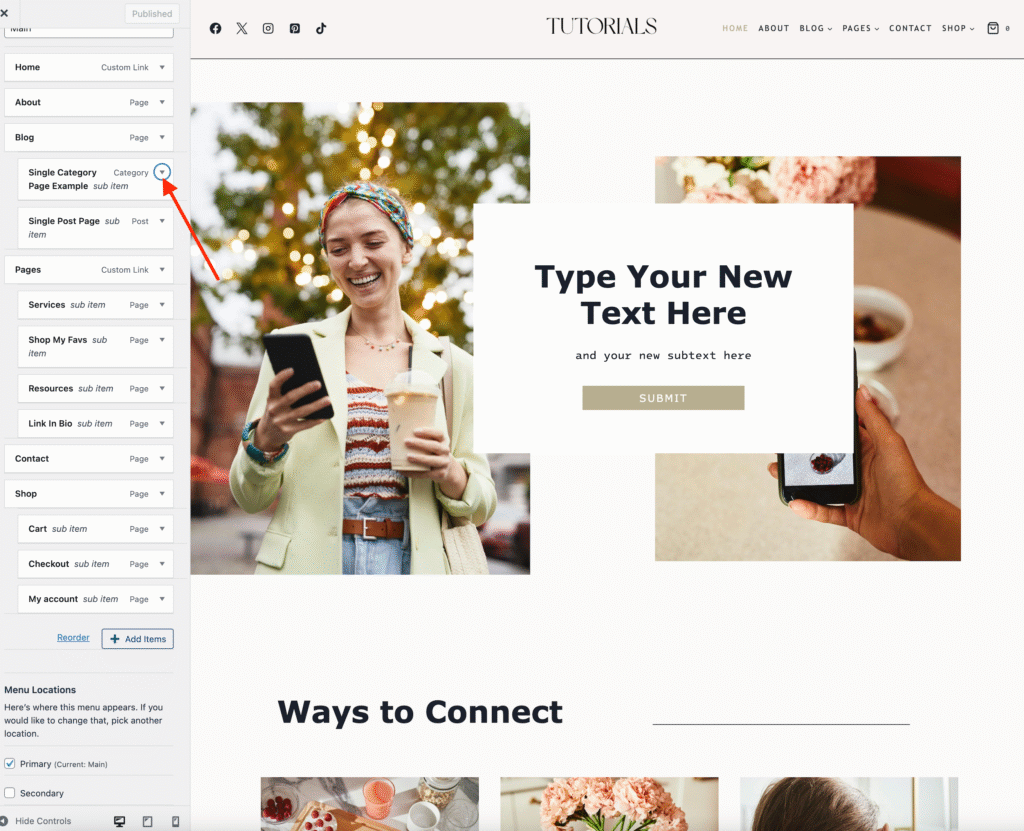
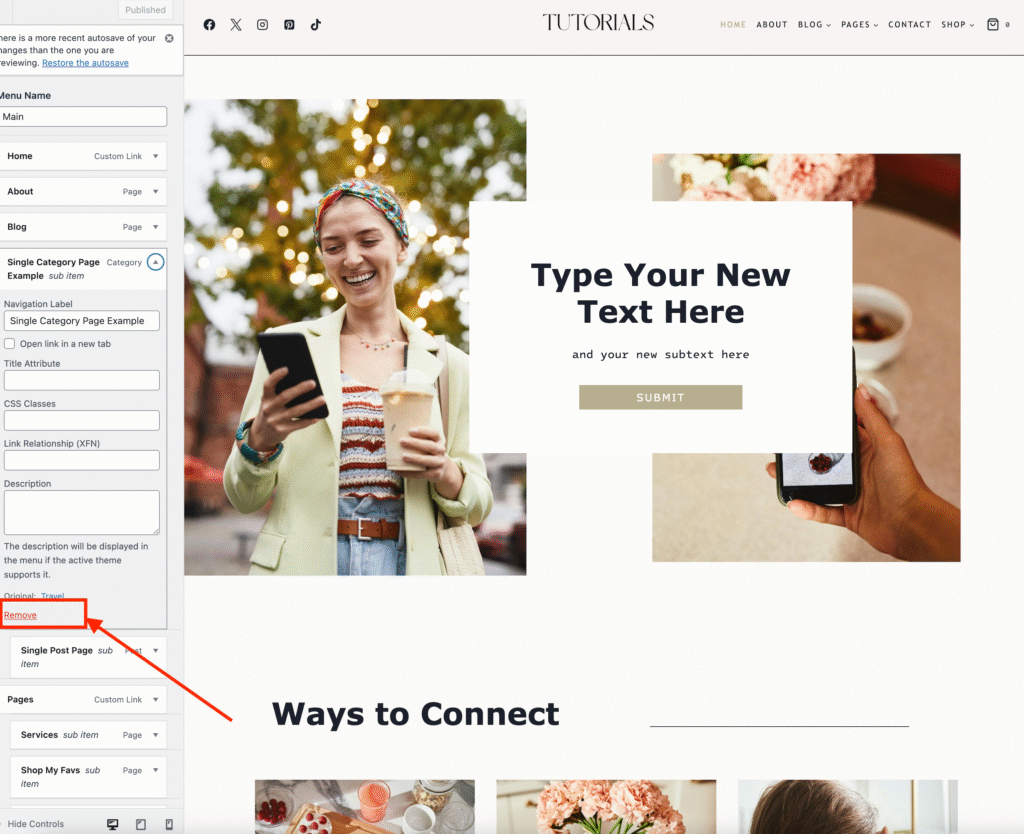
Scroll down and click Remove.
(Don’t worry—you can still access the page under the Pages section.)
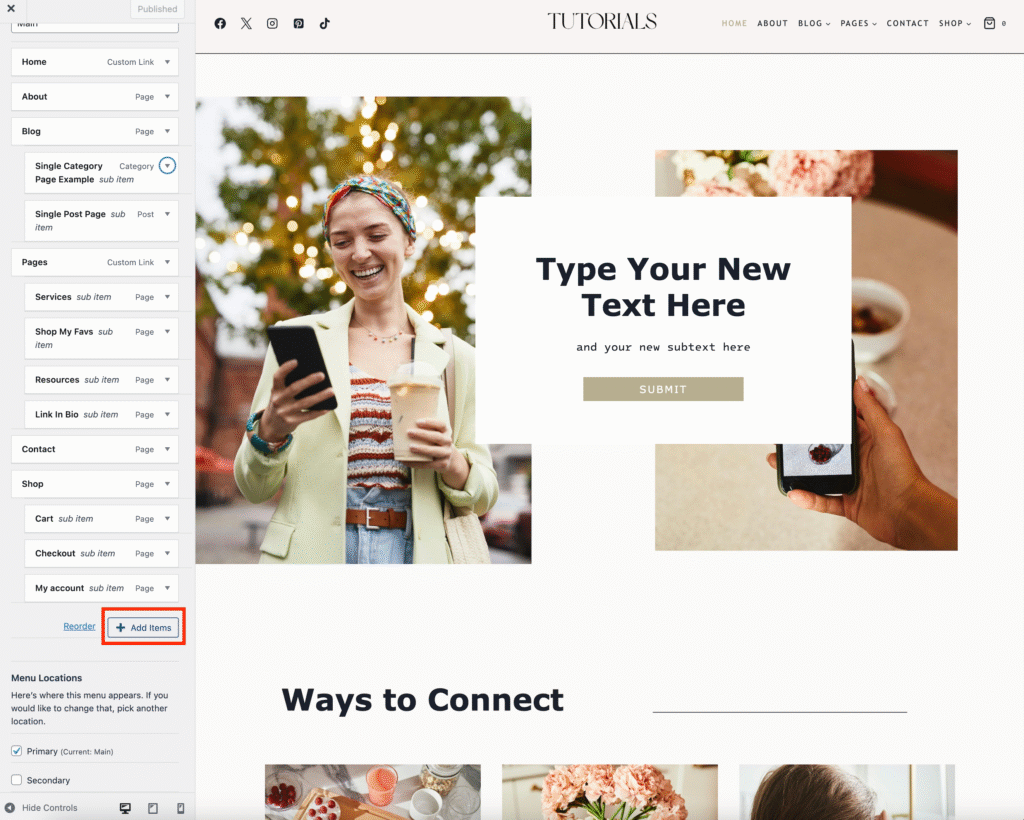
To add a Menu Item:
• Click Add Items.
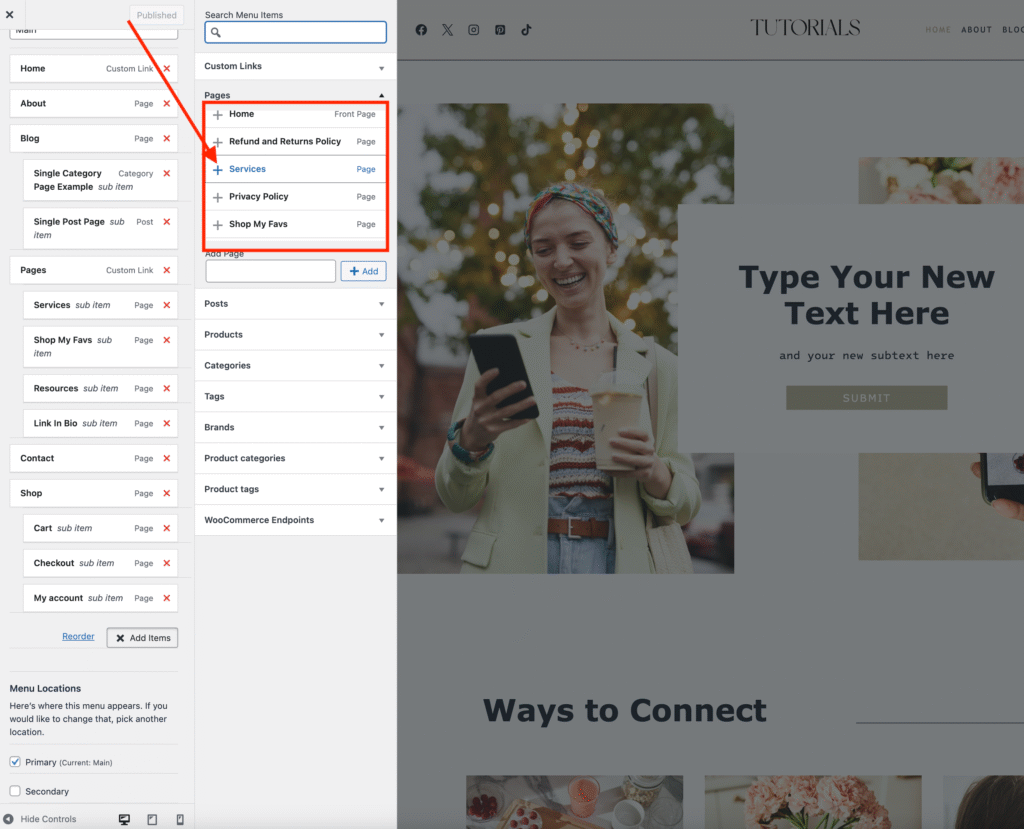
You can select an existing page from the list.
To rename a Menu Item:
• Click the arrow next to the menu item you want to rename.
Change the text in the Navigation Label box. Click Publish once done to save your changes.