Kadence allows you to set global fonts for headings and body text, so your typography stays consistent across the site. If you want to use custom fonts click here for tutorials on how to set it up.
To Change Your Fonts:
Go to your WordPress Dashboard → Appearance → Customize.
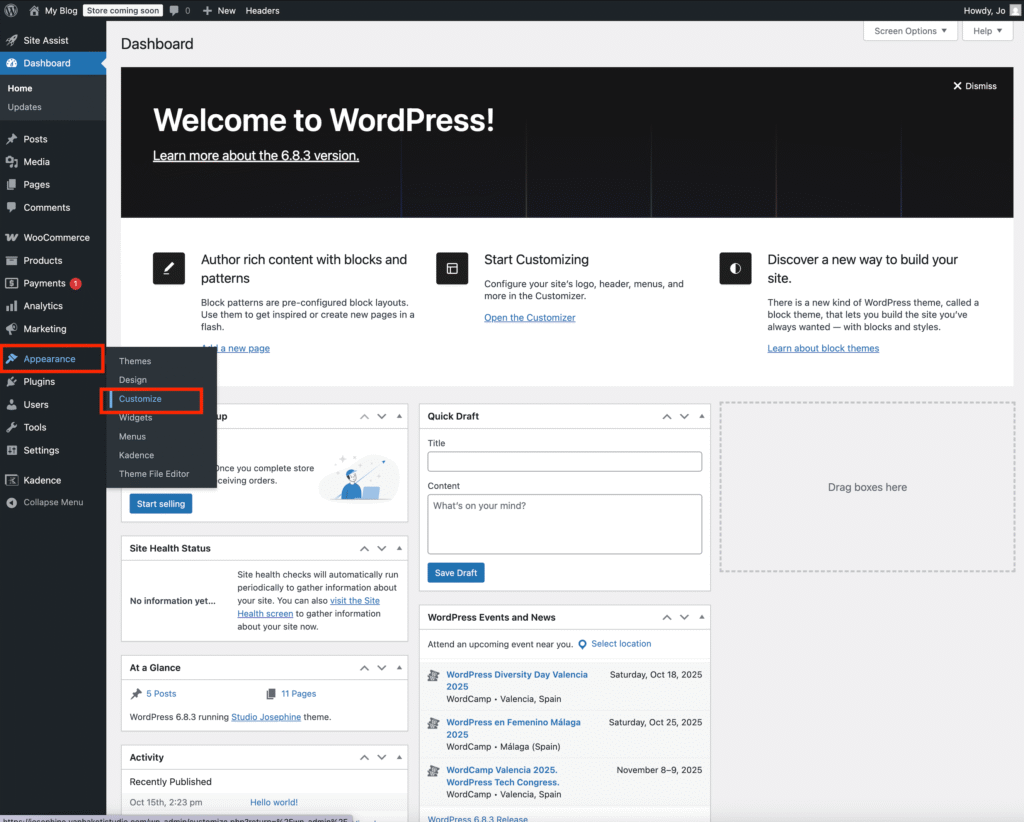
Click on Colors & Fonts.
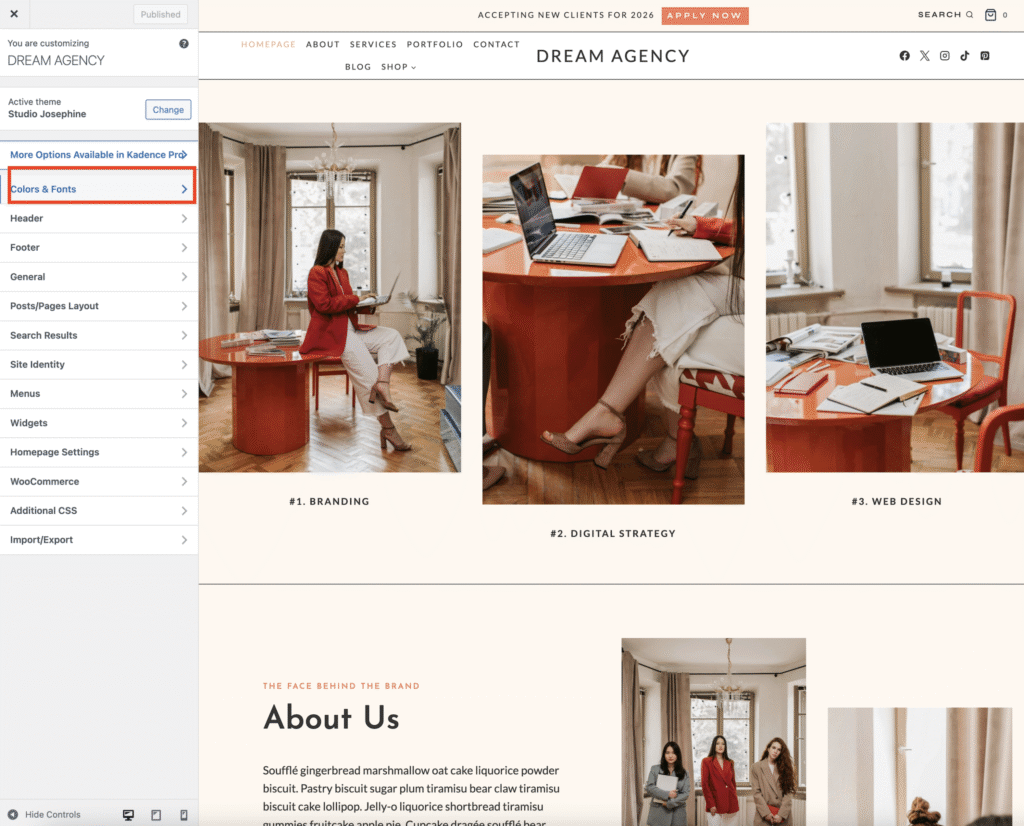
Select the Typography button.
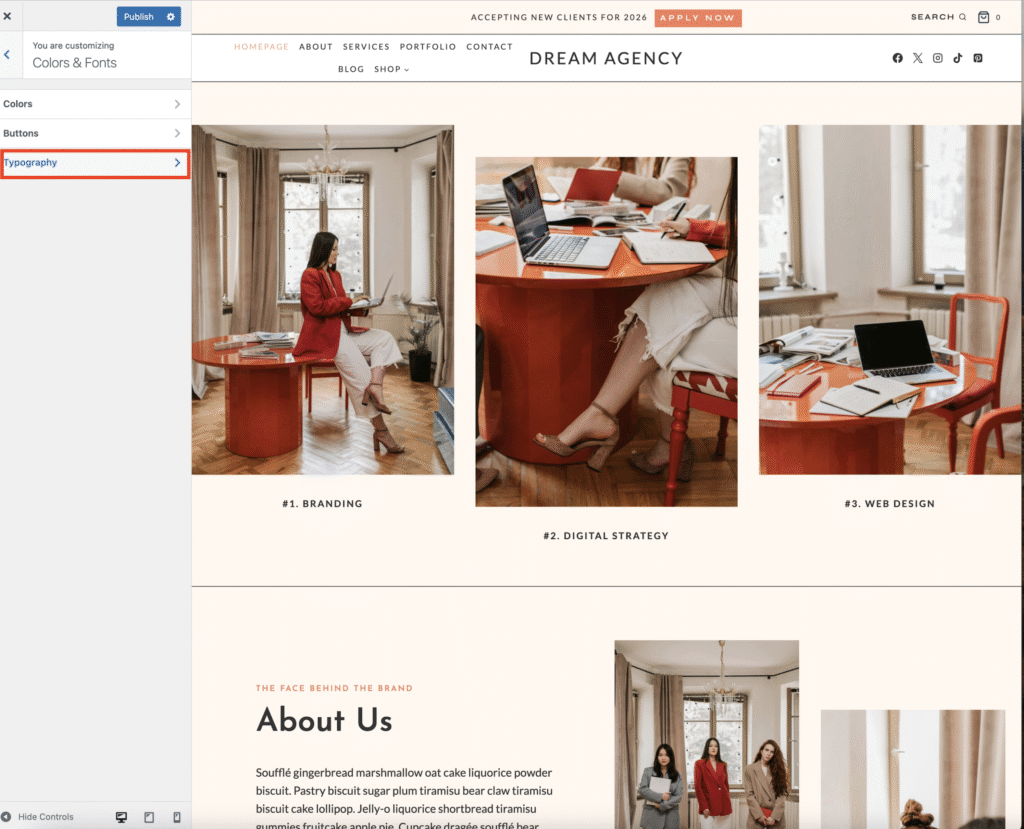
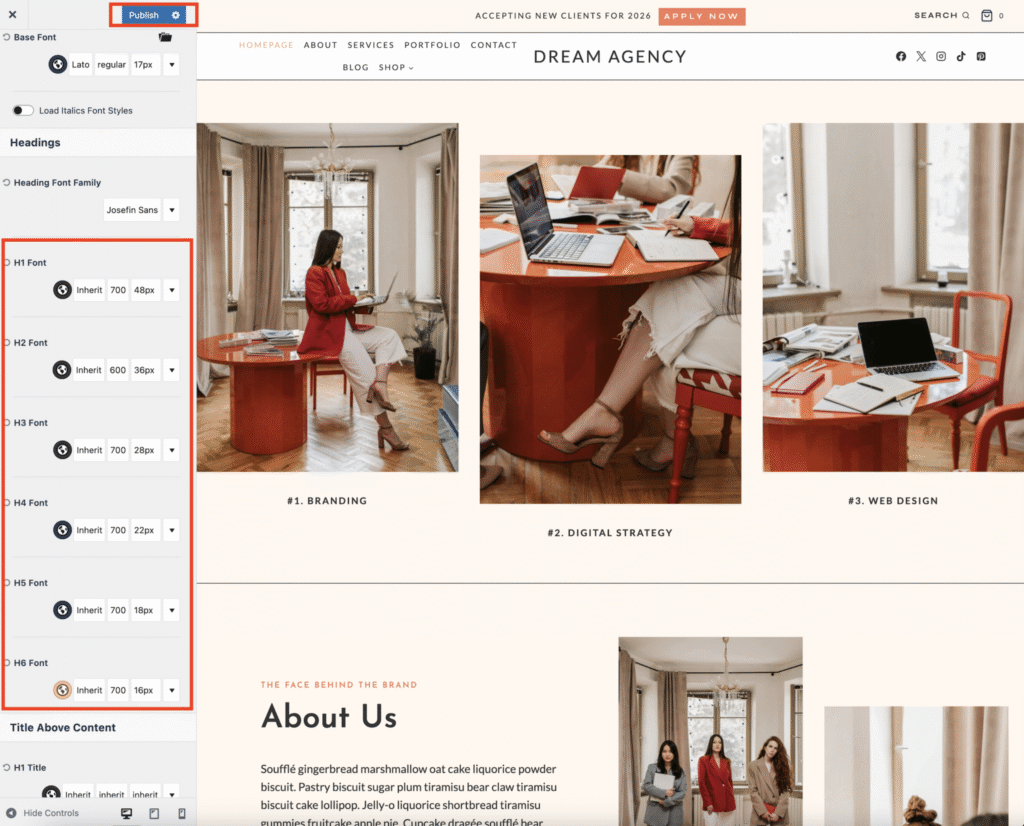
To change the heading font, click Heading Font Family and choose your desired font.

To change the body (base) font, click Base Font and select your preferred font.These changes will automatically apply globally across your site.

Optionally, you can change fonts for individual headings (H1-H6) by clicking each one–but by default, all headings use your chosen heading font. Click Publish to save your changes.
💡 Tip: Keep your fonts simple — one font for headings and one for body text usually looks clean and professional.