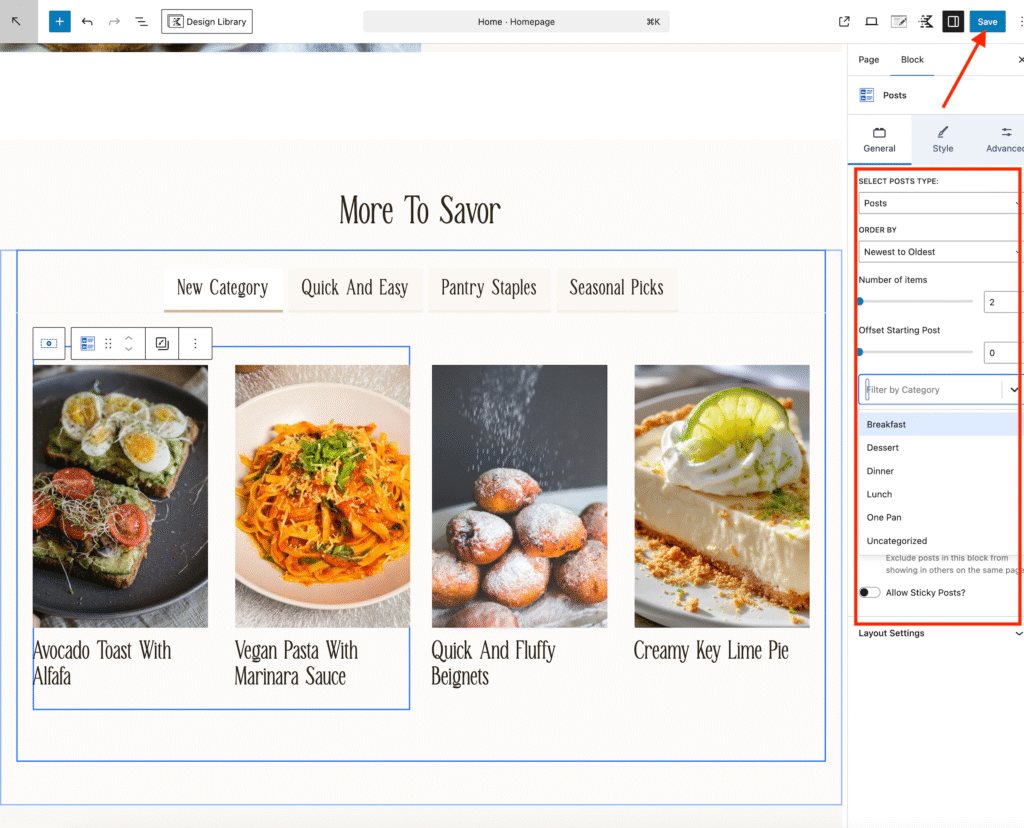
For tutorial purposes, we’re using the Alma theme, but these steps apply to any template with a similar blog tab section.
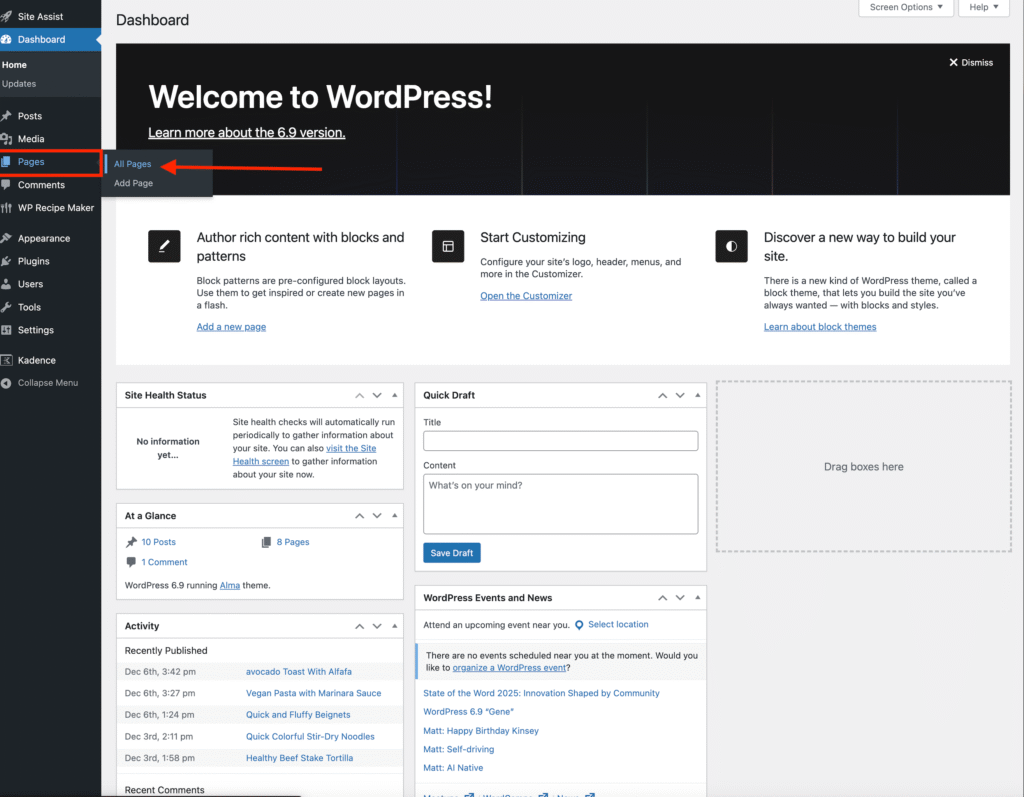
- In your WordPress dashboard, go to Pages → All Pages.
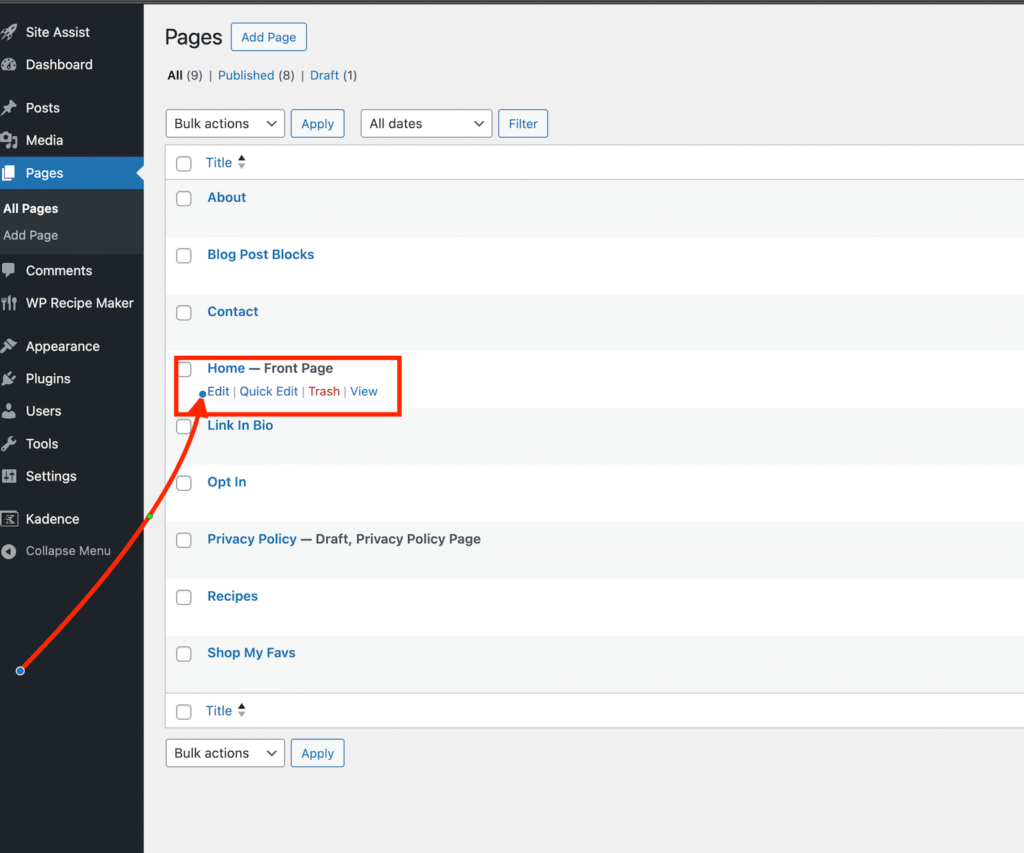
- Find the page where the blog tabs are located (for Alma, this is the Home Page) and click Edit.
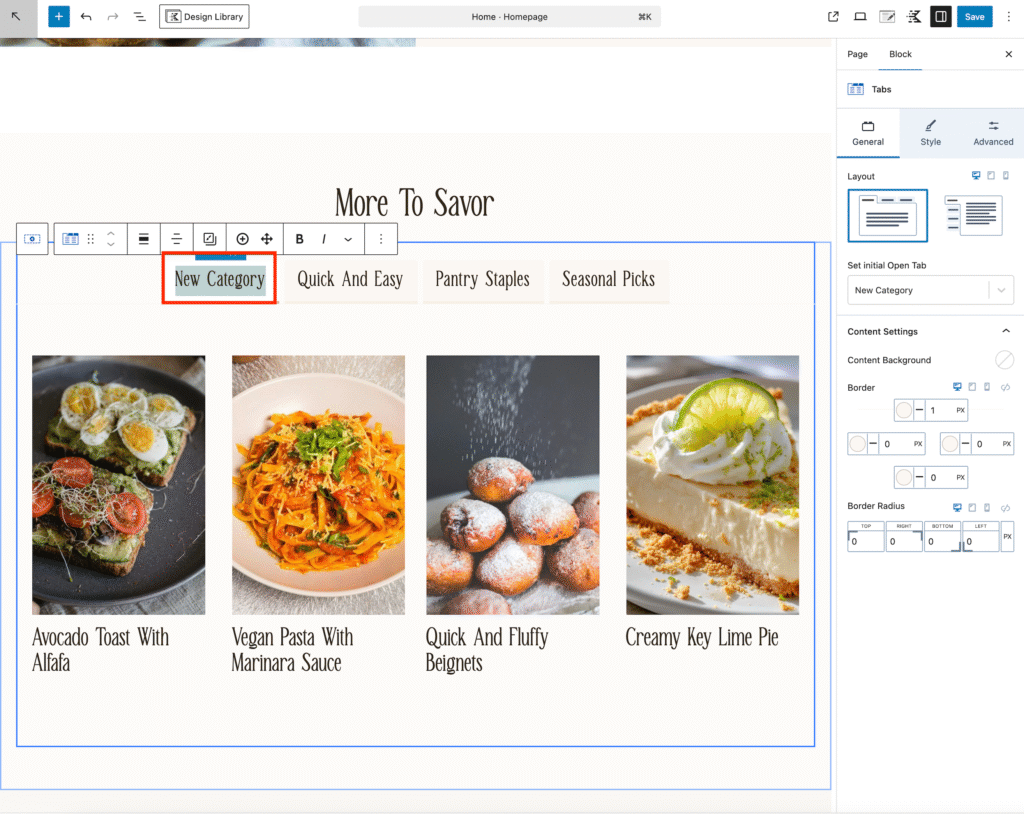
- Click on the blog tab section to open the Tabs Settings.
- Click on the demo category text and replace it with your own category title.
- Click the blog posts to select the section.
- In the right-hand sidebar, you can:
• Choose which category of blog posts to display by using the filter by category dropdown button
• Set how many posts appear in the tab by using the number of items slider
• Adjust the order of the posts by using the order by button.
Repeat this step for each tab you want to customize.
Once you’re done, click Save to apply your changes.