I am using the Enni theme; however, this tutorial applies to all of my designs.
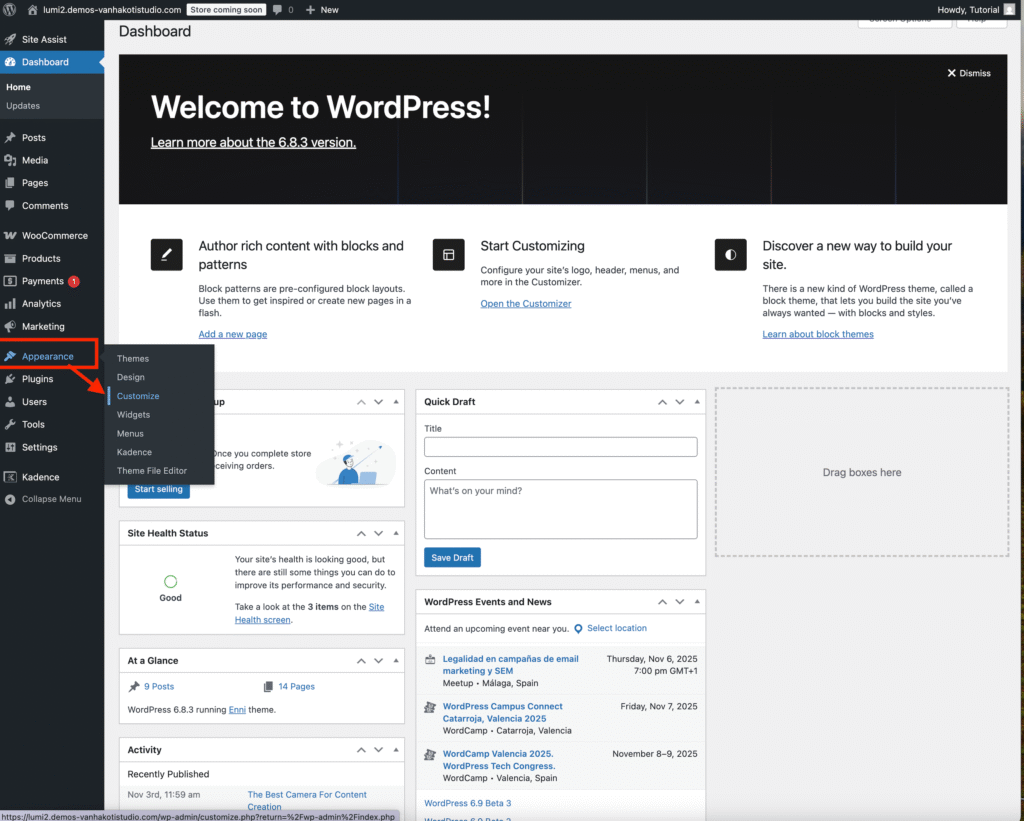
Go to your WordPress dashboard → Appearance → Customize.
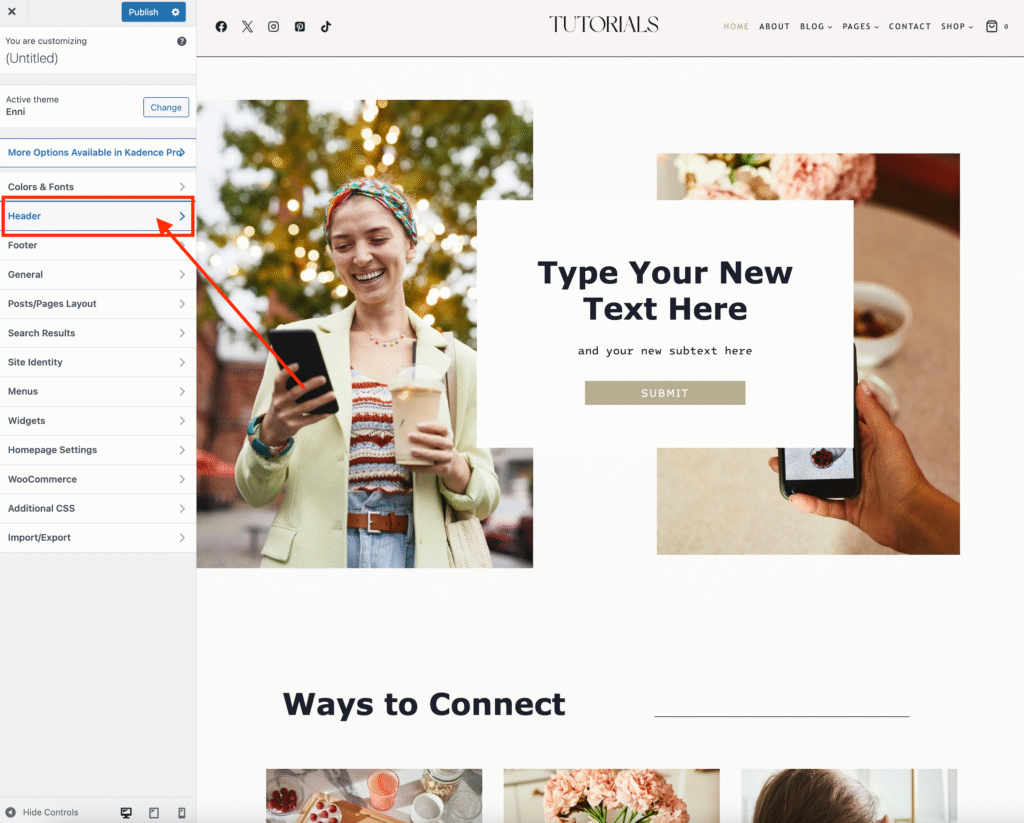
Select the Header button
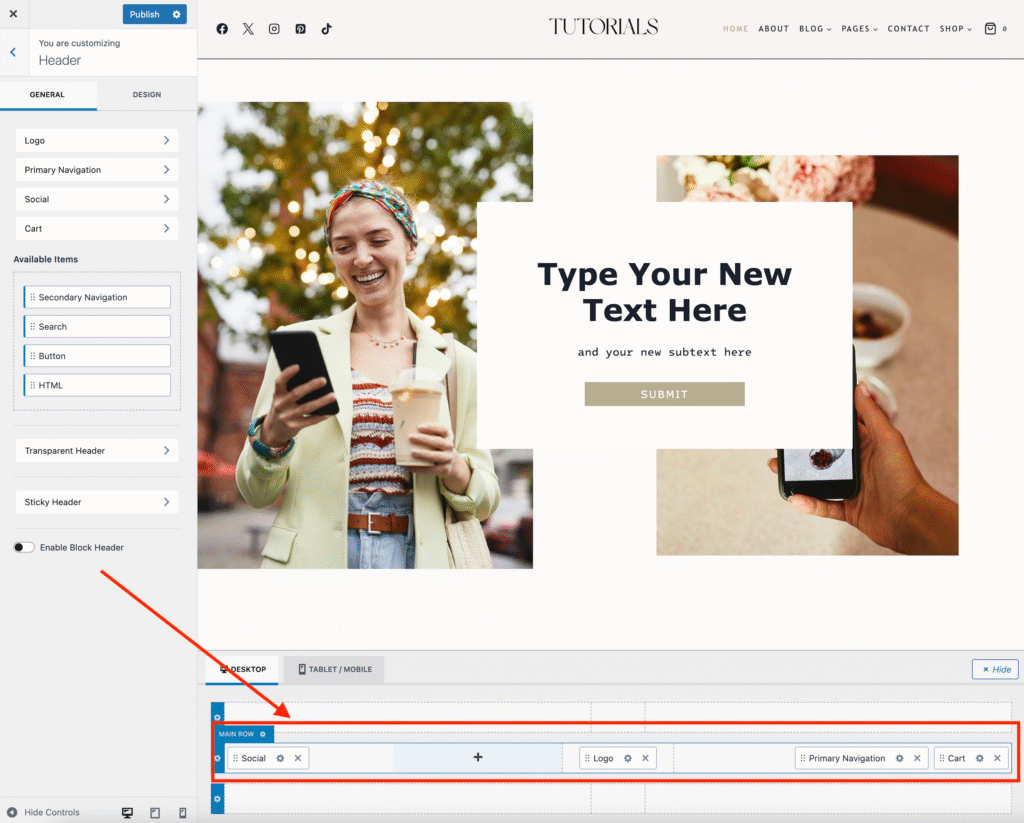
The drag-and-drop header is at the bottom of the page. You can drag and drop the logo, menu, and socials to rearrange them to the location you want. Don’t forget to click Publish to save your changes.