Open the Page
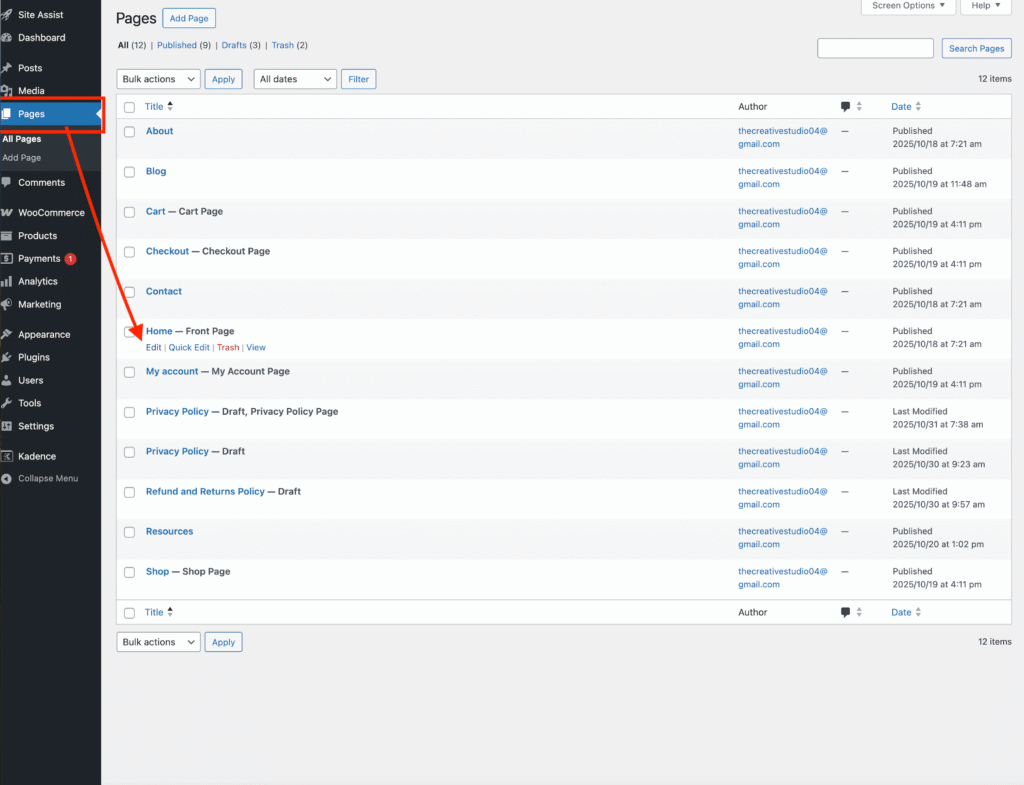
Go to your WordPress Dashboard → Pages.
Find the page you want to edit and click Edit.
(In this tutorial, I’m using the homepage of the Susan Lifestyle theme, but the same steps apply to all my blog designs with this section.)
Access the Blog Categories Section
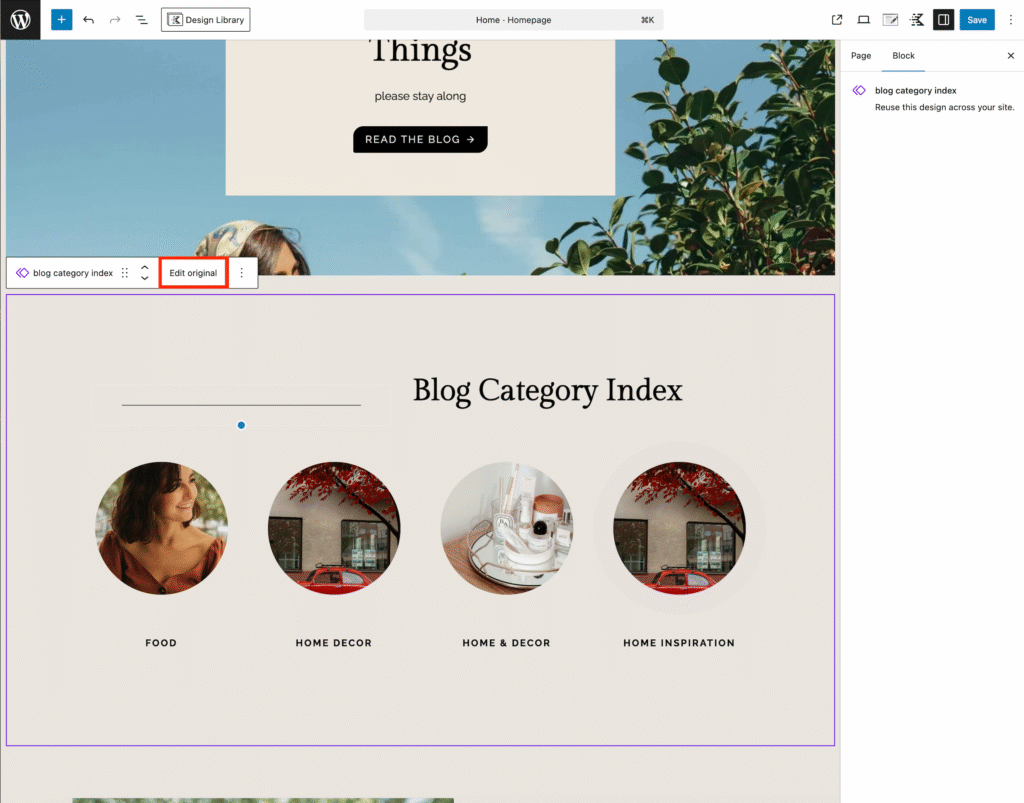
Scroll down to the Blog Categories Index section.
Click Edit Original.
Note: This is a global section, which means any changes you make here will automatically apply to every page that includes this section.
Change the Background
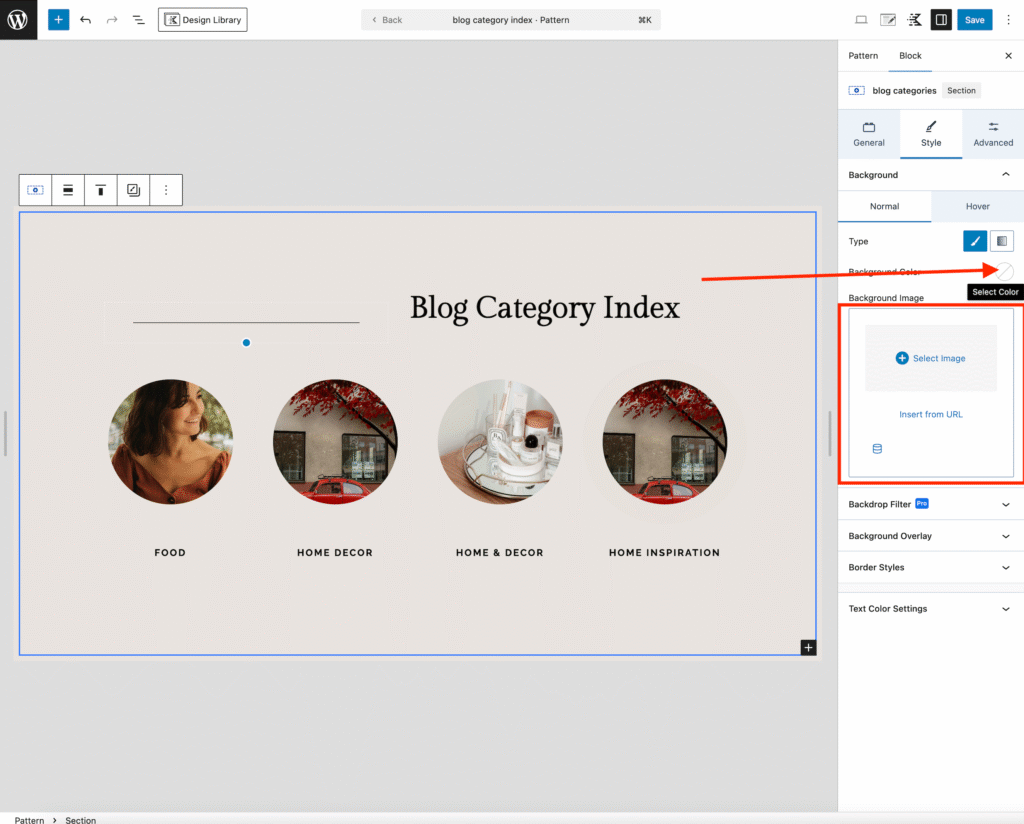
On the right-hand sidebar, under the Background settings, you can:
• Choose a new color from your color palette, or
• Use an image instead by selecting Image below the color option.
Replace the Images
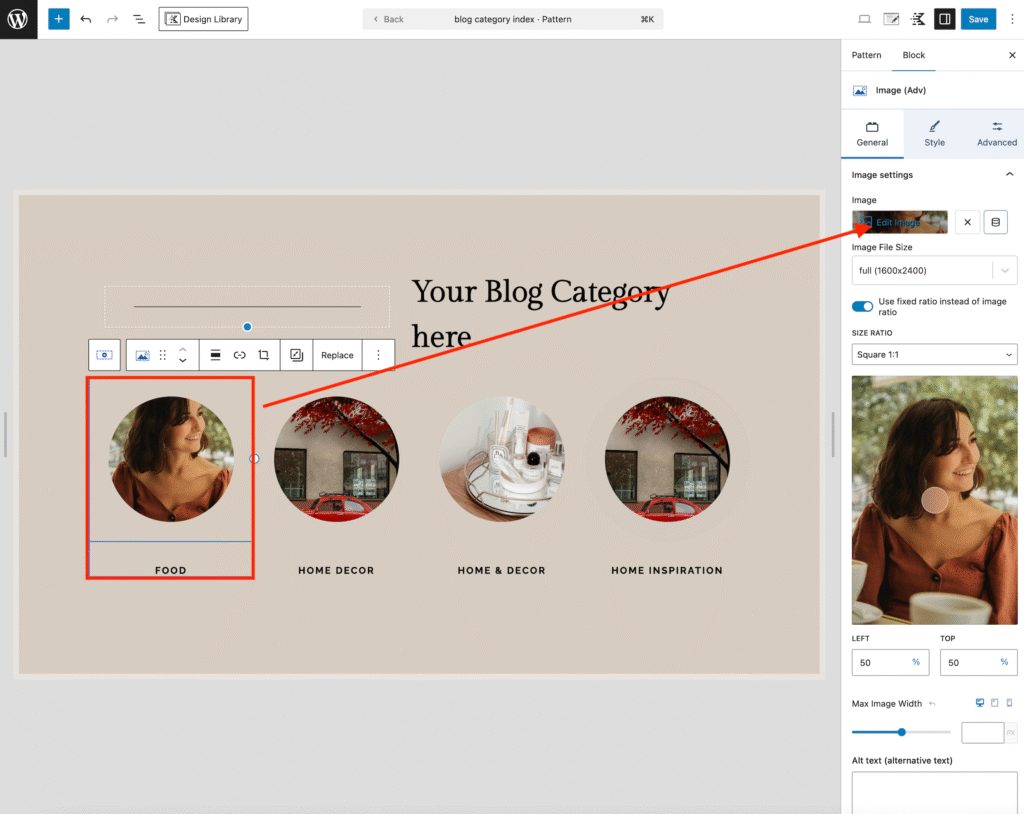
Click on an image within the section.
In the right-hand sidebar, select Edit Image to upload or choose your own image.
(Repeat this step for each image in the section.)
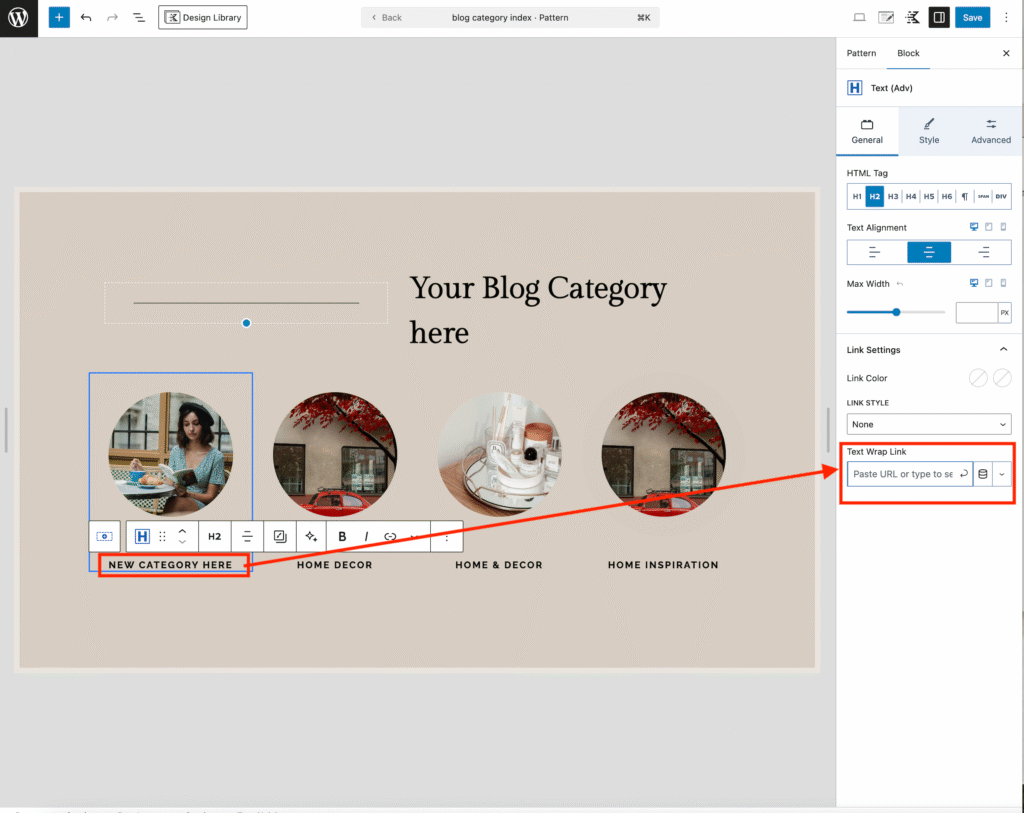
Edit the Text and Links
• Click on the text to replace it with your own.
• In the right-hand sidebar → General tab, locate the Text Wrap Link field.
• Add the link to the blog category you want that text to point to.
• Repeat this step for all categories in this section.