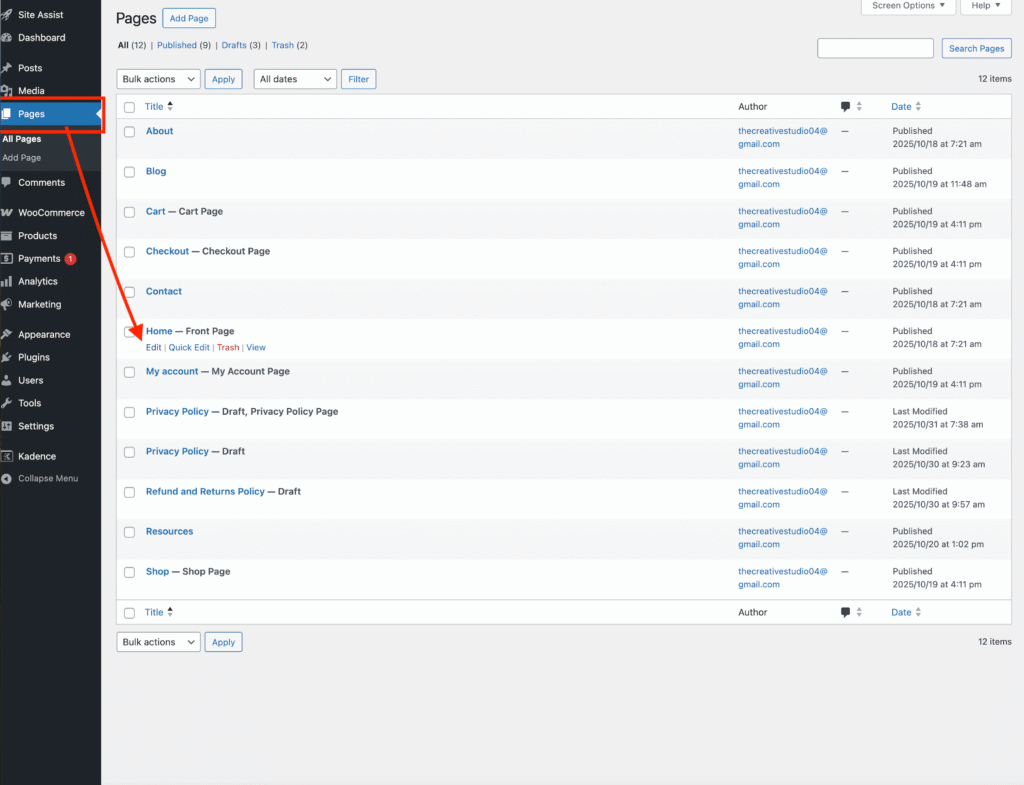
Open the Page You Want to Edit
Go to your WordPress Dashboard → Pages.
Find the page you want to edit and click Edit.
(In this tutorial, I’m using the homepage of the Niina Lifestyle theme as an example — but the same steps apply to all my designs.)
Replace an Image
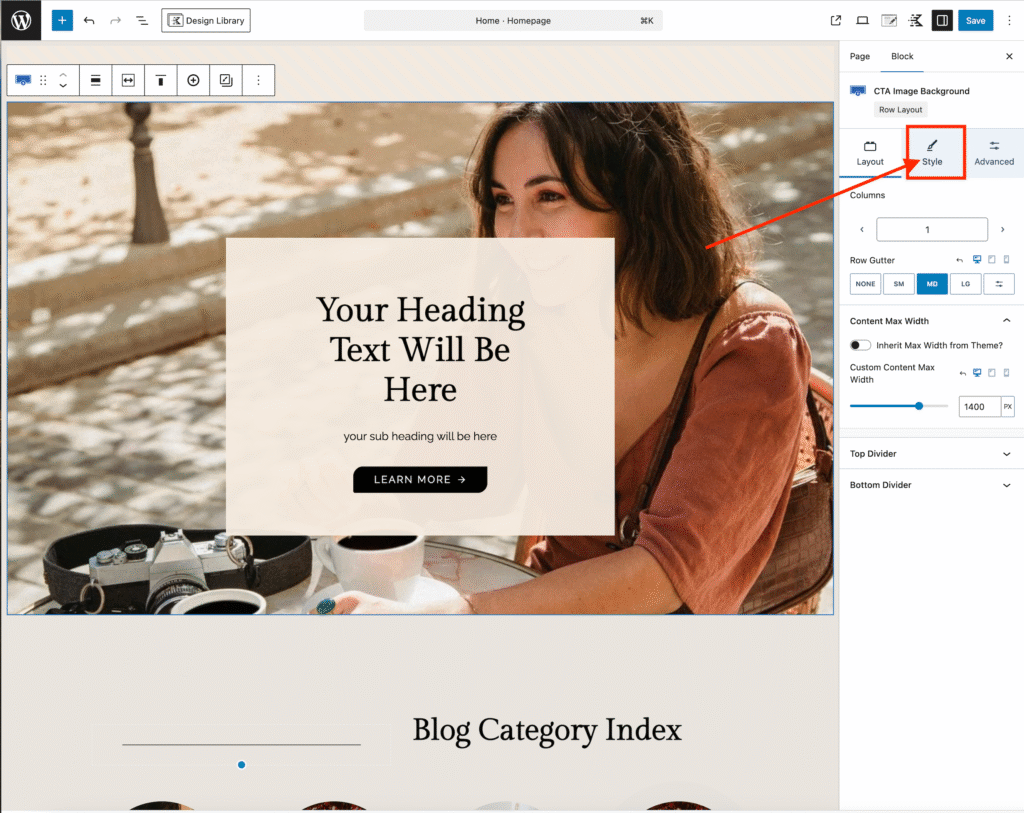
Click on the image you want to change.
On the right-hand sidebar, click the Style tab
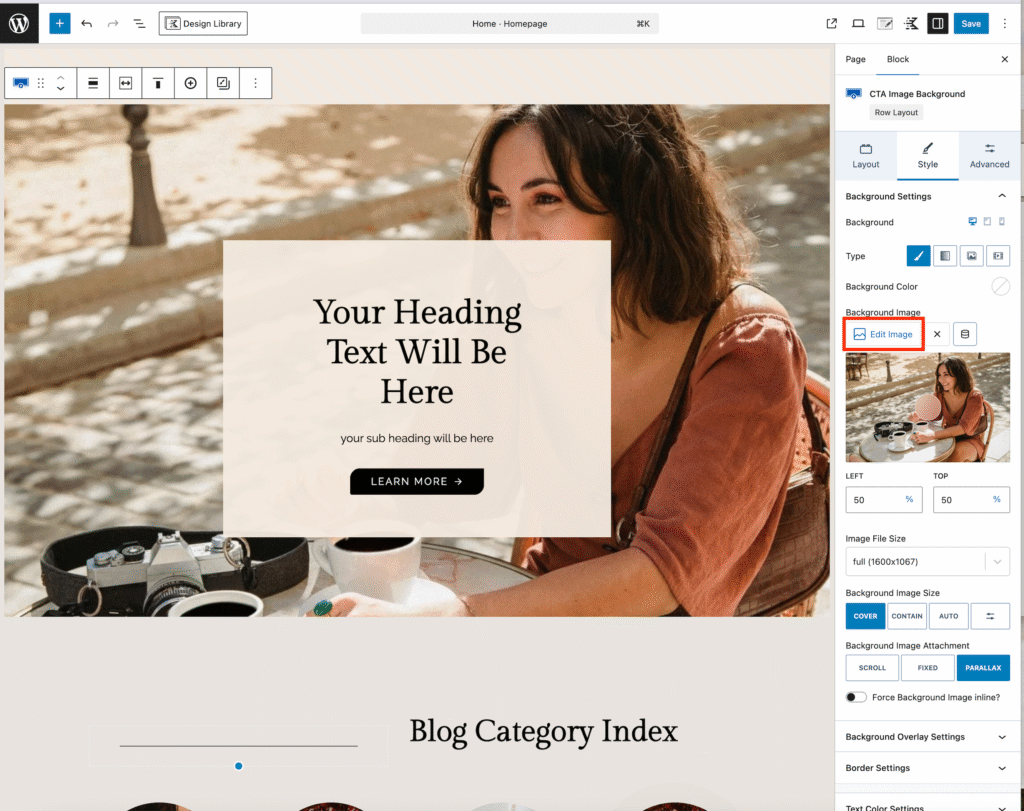
Click Edit Image.
Upload or select your new image to replace the existing one.
Edit the Text
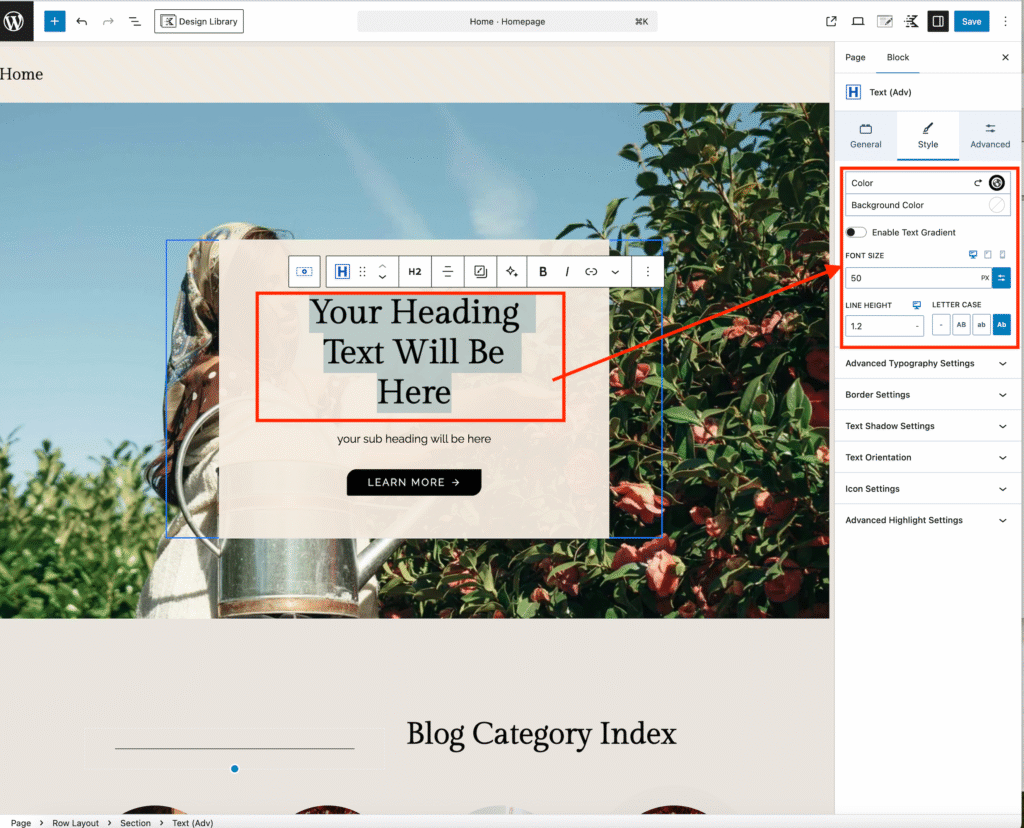
Click on any placeholder text select and replace it with your own.
Use the right-hand sidebar to adjust the font size, color, or other text settings.
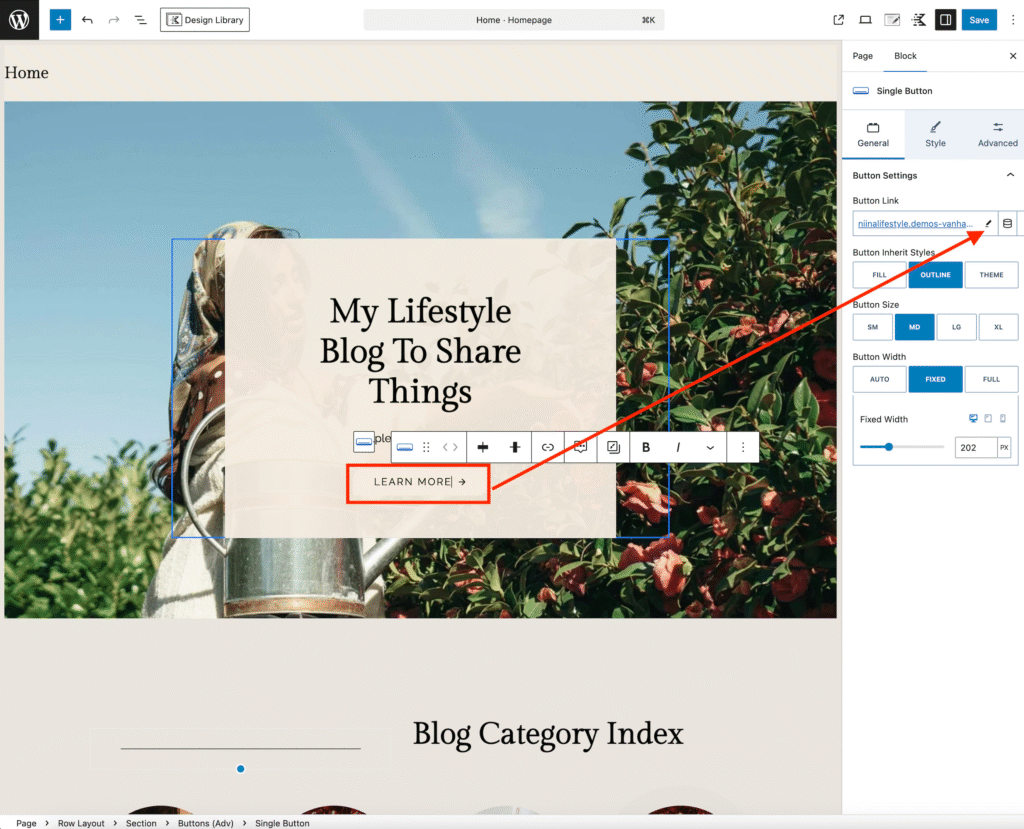
Update a Button Link
Click on the button text to change the wording.
Then, in the right-hand sidebar, find the Button Link section and click the pencil icon.
Add the URL you want the button to link to.
When you’re done, don’t forget to click Save for changes to apply.